LUMINKEY Keyboards: Mechanical or Hall Effect, Which Board Fits Your Desk?
LUMINKEY sells two keyboard families under one brand and its store carries more models than this guide covers. Of the eight documented here, four are mechanical and take a tri-mode radio over 2.4GHz, Bluetooth or a cable, and four are Hall Effect boards with no radio, three of them listing 8000Hz over a cable and the fourth stating 8K in its description. This guide walks the switch, the mount, the driver and the layout model by model, and reports the warranty and return contradictions the store prints on different pages.
LUMINKEY builds two different keyboards and sells them under a naming scheme that does not say which is which. Of the eight this guide covers, four are mechanical and carry a tri-mode radio over 2.4GHz, Bluetooth or a cable. The other four are Hall Effect boards listed with no radio and no battery, and they poll at 8000Hz over a cable. That split decides most of the buying decision before layout or colour enters it.
Every figure below comes from LUMINKEY's own product specification tables, page descriptions and policy pages as they read on November 21, 2026, and the sentence says which of those a figure came from when it matters. Where the store contradicts itself, the sentence names both surfaces instead of picking a winner. The eight boards below are the ones this guide documents: Luminkey60 Pro, LUMINKEY65 HE Ultra, Luminkey75 V2, LUMINKEY80 V1, LUMINKEY98 V2, Magger60 HE, Magger68 HE Plus and Magger68 HE Ultra. That is a selection, not the whole catalogue. A full walk of the store returns sixteen listings whose titles name a keyboard layout, fourteen of them with stock at capture, once plates, badges, keycaps, mats and standalone PCBs are excluded. Seven are not covered here and five of those had stock: Luminkey65, Luminkey65 Barebone, LUMINO75, LUMINKEY80 MK II, Magger68 HE Professional, Luminkey75 V2 HE and Magger68 HE Performance. The eighth uncovered listing, NOVA KINE, is a wireless numpad on pre-order rather than a keyboard, which is why it is not counted as a board here.
Affiliate disclosure: JellyReviews may earn a commission when an eligible purchase is correctly attributed through an affiliate link. Attribution is handled by the store's own systems and can change, so no guarantee is implied here. Product photographs are sourced from LUMINKEY's own product galleries with the brand's permission, as reported by the site owner.
The one split that decides most of this lineup
The mechanical four are the Luminkey60 Pro, the Luminkey75 V2, the LUMINKEY80 V1 and the LUMINKEY98 V2. Three of them publish a battery capacity in their own spec table: 4400mAh on the 60 Pro, 4000mAh on the 75 V2 and 6000mAh on the 98 V2. The 80 V1 publishes a tri-mode polling row and a dongle row, and its own table carries no battery row. Its page does print a capacity, 7000mAh, but in a separate LUMINKEY 80 MK II section lower down, which belongs to the other SKU. On polling, the 60 Pro, the 75 V2 and the 80 V1 each list a Bluetooth figure beside the 2.4GHz one; the 98 V2 names Bluetooth in its connectivity row and prints no polling or latency row at all.
The Hall Effect four are the LUMINKEY65 HE Ultra, the Magger60 HE and the two Magger68 boards. The Magger60 HE and both Magger68 boards publish one polling row each and it reads 8000Hz wired, with no Bluetooth or 2.4GHz entry, no battery row and no dongle row. The 65 HE Ultra has no specification table at all, so its 8K polling and 0.08ms latency come from its page description rather than from a published table. None of the four describes a tri-mode option at checkout.
What Hall Effect buys you is a magnetic switch whose actuation point you set in software rather than a fixed mechanical contact, and inside these eight the switch type and the radio line up that cleanly. The wider catalogue does not. Luminkey65, which is in stock and not covered here, is listed in its own title and tags as a mechanical keyboard while its description calls the switches Hall Effect magnetic, and it publishes a tri-mode polling row with Bluetooth and 2.4GHz figures. That listing is the reason this guide reports which surface says what rather than treating switch technology as a guarantee about the rest of the board. On the Magger60 that range is published as 0.1 to 3.4mm in 0.01mm steps. On both Magger68 boards it is 0.1 to 3.5mm in 0.1mm steps. The LUMINKEY65 HE Ultra promises adjustable actuation and, unusually, never prints a range, which is one of the gaps this guide leaves open rather than fills.
If the board has to travel, leave a cable behind at a desk, or drive a laptop over Bluetooth, the answer is one of the mechanical four and the rest of this guide is about layout. If it stays plugged into one machine and you want the shortest possible press, the answer is one of the Hall Effect four and the rest is about which of the three shapes you want.
The 60% boards: Luminkey60 Pro against Magger60 HE
These two share a footprint and nothing else. The Luminkey60 Pro is a 60% ANSI board in a 6063 aluminum case at 1.3kg, 292.7mm by 110.2mm by 19mm, with a copper internal weight, a gasket mount, a 1.5mm polycarbonate plate and PBT dye-sublimated keycaps. It carries LUMINKEY Astral mechanical switches on a 1.6mm tri-mode hot-swap PCB, and the description points at a hidden 2.4GHz receiver bay for travel.
It splits latency three ways where most of the lineup publishes a single figure: 5 milliseconds wired, 7 milliseconds over 2.4GHz and 18 milliseconds over Bluetooth. Compare that with the Magger60 HE, which gives a single wired figure of 0.08ms and a polling rate eight times higher. On paper the Hall Effect board is the faster one by more than an order of magnitude, and that is the whole reason it exists.
The Magger60 HE is also the lighter board at 1kg, uses a 1.5mm FR4 plate rather than polycarbonate, and lists Cherry-profile PBT keycaps. It runs LUMINKEY's browser-based Web Drive instead of the LUMINKEY APP the 60 Pro names in its programming row. Both are 60% ANSI and both are gasket mounted, and the 60 Pro sits at 8 degrees against 7 everywhere else the angle is stated.
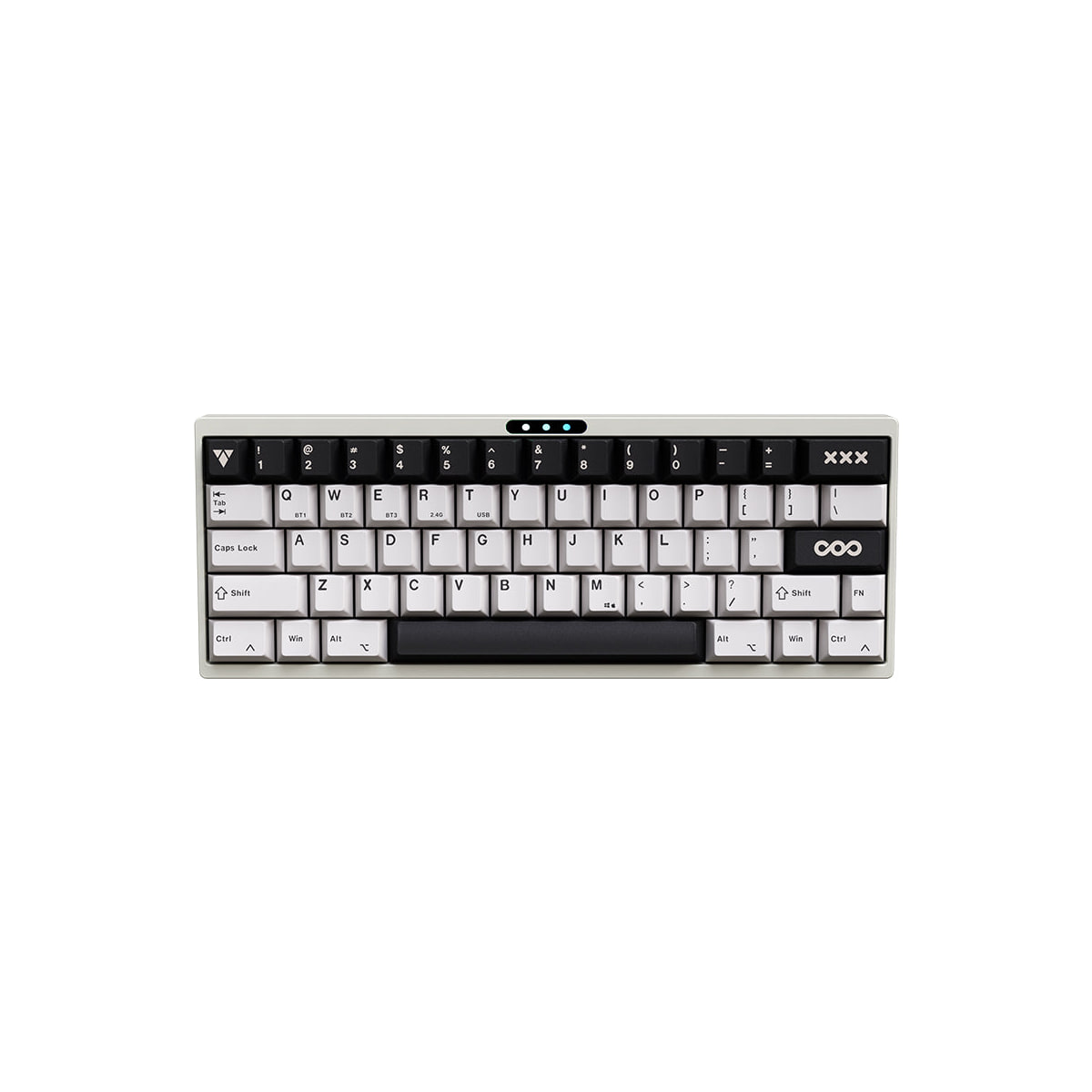
LUMINKEY Luminkey60 Pro 60% tri-mode mechanical keyboard
- ✓60% ANSI, 6063 aluminum case, copper weight, 1.3kg
- ✓1.6mm tri-mode hot-swap PCB with a 4400mAh battery
- ✓Latency: 5ms wired, 7ms at 2.4GHz, 18ms over Bluetooth
- ✓Gasket mount, 1.5mm PC plate, PBT dye-sub keycaps, 8 degrees
- ✓LUMINKEY Astral mechanical switches, LUMINKEY APP, 1000Hz
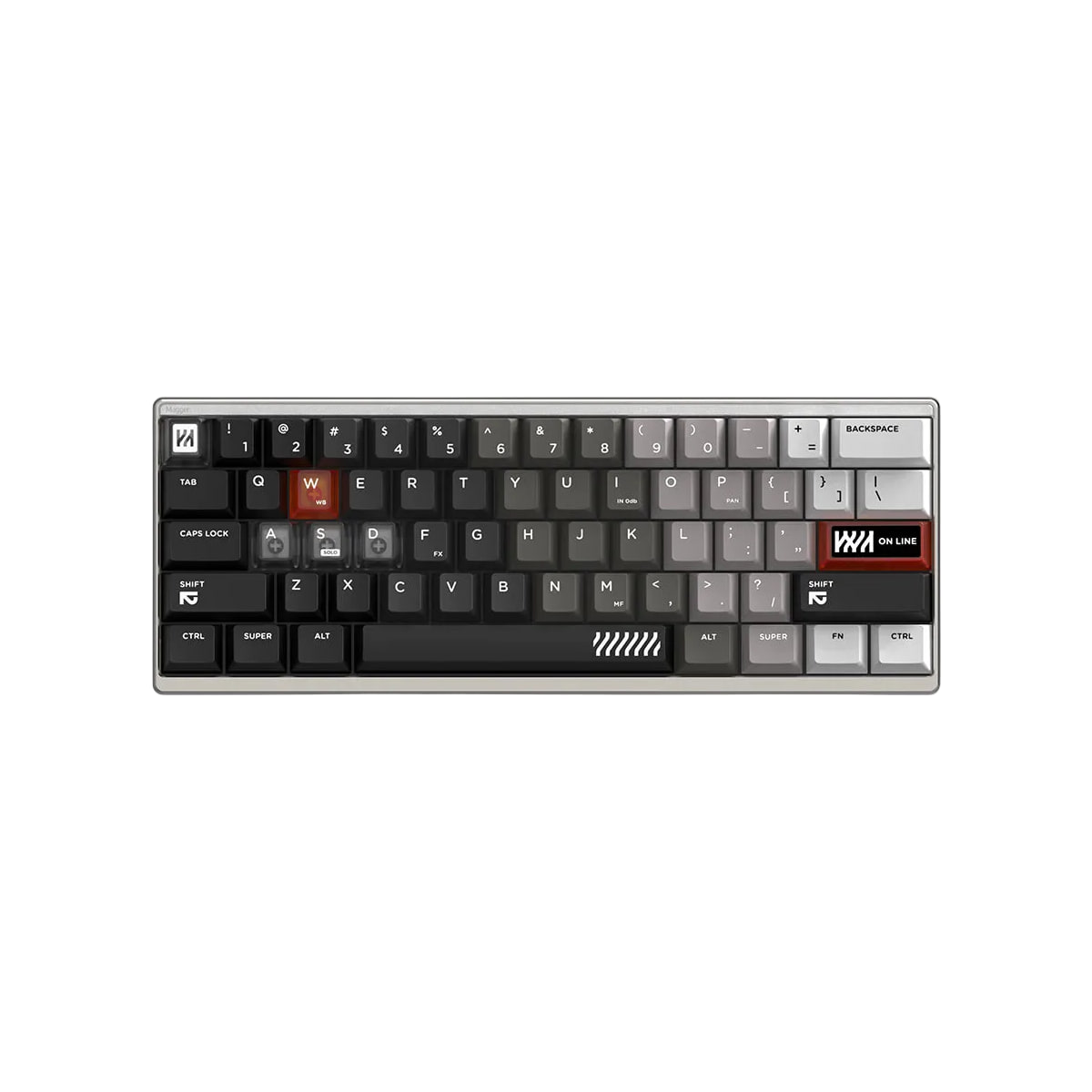
LUMINKEY Magger60 HE 60% Hall Effect magnetic keyboard
- ✓60% ANSI, 6063 aluminum case, 1kg, gasket mount
- ✓Actuation 0.1 to 3.4mm, adjustable in 0.01mm steps per key
- ✓Dynamic Keypath (DKS): 0.005mm resolution, up to 4 actions per key
- ✓8000Hz wired polling, 0.08ms latency, no battery or radio
- ✓Luminkey Web Drive in a browser, 1.5mm FR4 plate
The 65% boards: three boards, two mounts, and one page with no spec table
This is where LUMINKEY's lineup stops being consistent. The LUMINKEY65 HE Ultra is gasket mounted. The Magger68 HE Plus and the Magger68 HE Ultra are both sandwich mounted. Gasket and sandwich are not two words for the same feel: a gasket mount floats the plate on compressible strips and a sandwich mount clamps it between case halves, which is why the two 68 boards are the only ones here whose mounting row says Sandwich Mount.
The LUMINKEY65 HE Ultra is the odd one out in a second way: it has no specification table at all. Probed for keyboard format, mounting, case material, weight, plate, actuation and programming rows, the page returns none of them. What it does publish is in prose and in its page description: a full-CNC aerospace-grade aluminum case, a polycarbonate internal plate, gasket mounting, a copper back weight and front badge, a 17.3mm front height at 7 degrees, 20 or more per-key RGB modes, an 8K polling rate with a 0.08ms latency chipset, and a browser driver that adjusts actuation and RGB and pushes firmware with no download.
The critical fact about that board is the SKU, not the prose. Its only purchasable version is Barebones, and three of its four colours were in stock at capture. The page publishes no packing list, so what ships besides the case and the board is not stated here, and the switches and keycaps are sold separately as upgrade items rather than bundled. The production photograph shows the board populated with switch housings while the only purchasable version is Barebones; the variant selector is what governs.
The two Magger68 boards split on switches and latency. The Plus lists Gateron Magnetic White Max switches, a wired latency of 0.125ms, and a 1.2kg case. The Ultra lists Gateron Magnetic Jade Pro in its table, 0.08ms, a split top-bottom aluminum case with an internal aluminum plate, a 16.5mm front height and PBT keycaps developed with ALOHAKB. Their latency tables differ, 0.125ms on the Plus against 0.08ms on the Ultra, but both descriptions carry the same 0.08ms chipset and USB latency wording, so the pair does not separate on latency the way the two tables suggest. The Ultra's own page also disagrees with itself about its latency and about its switch name, covered below.
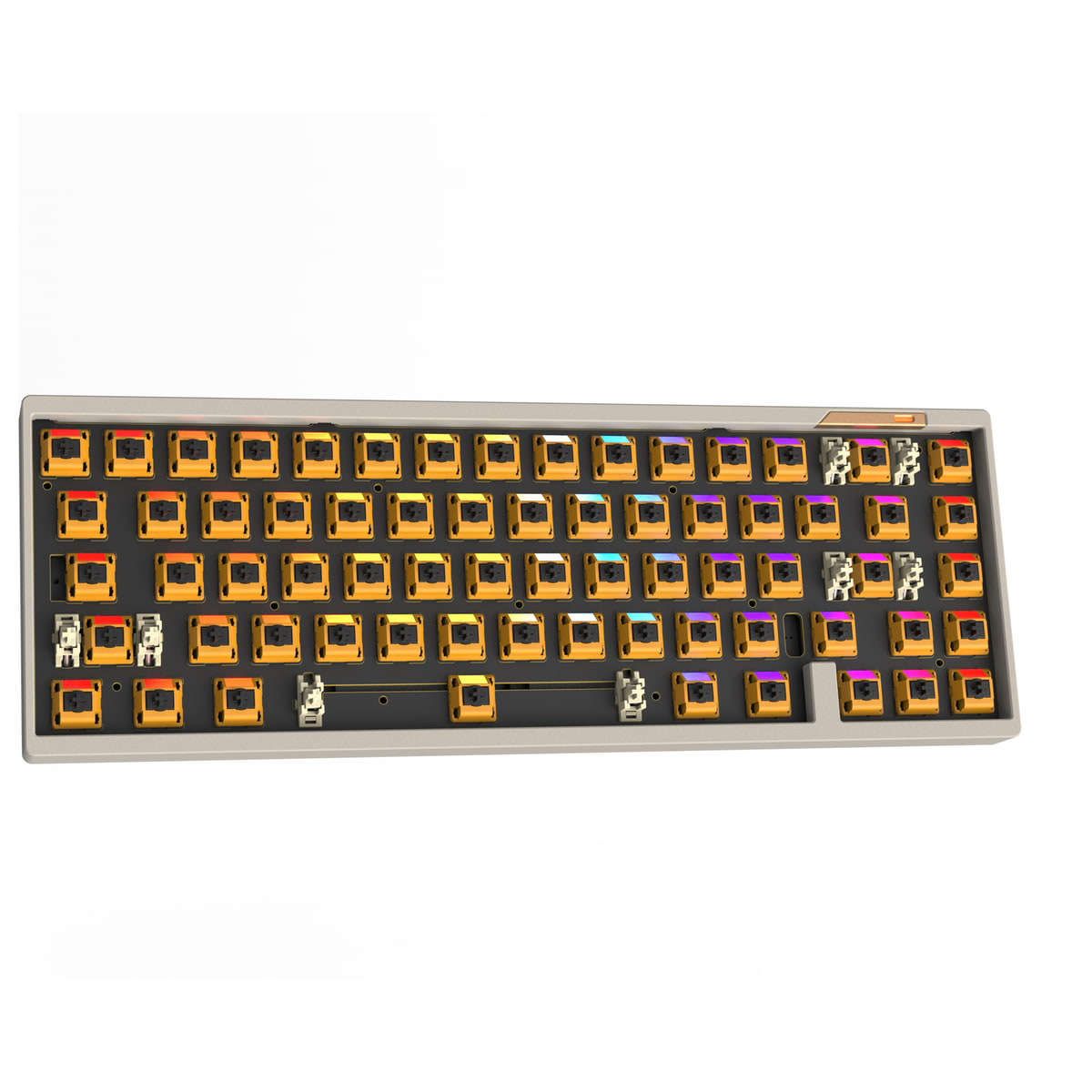
LUMINKEY LUMINKEY65 HE Ultra 65% Hall Effect barebone
- ✓65% full-CNC aluminum, copper back weight and front badge
- ✓Gasket mount, polycarbonate internal plate, 17.3mm front height
- ✓8000Hz polling, 0.08ms latency chipset, wired USB-C only
- ✓Browser driver: actuation, RGB and firmware with no download
- ✓Sold as Barebones only; the page publishes no packing list
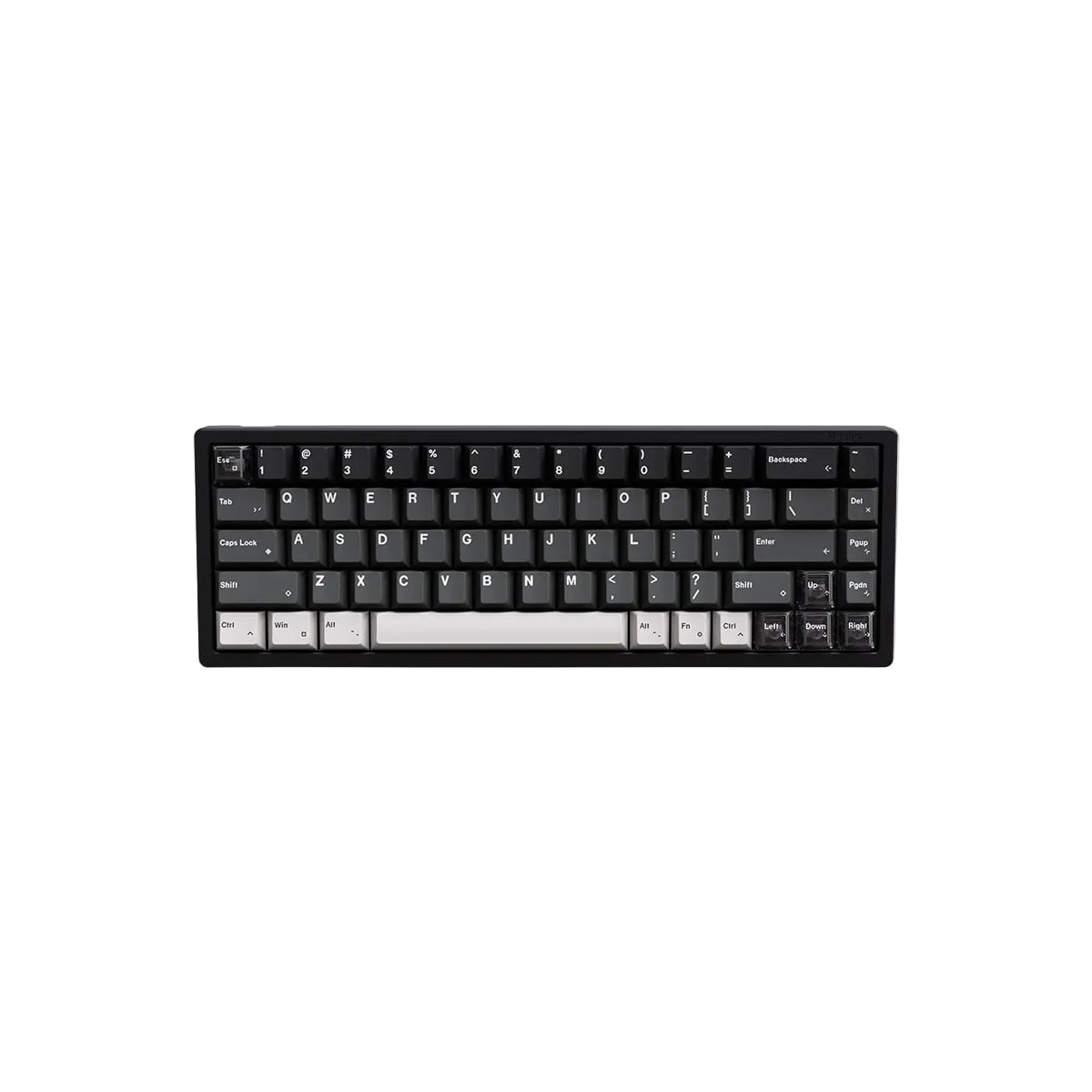
LUMINKEY Magger68 HE Plus 65% Hall Effect keyboard
- ✓65% ANSI, 6063 aluminum, 1.2kg, sandwich mount
- ✓Gateron Magnetic White Max switches
- ✓Actuation 0.1 to 3.5mm in 0.1mm steps, Dynamic Keypath (DKS) at 0.02mm
- ✓8000Hz wired polling, 0.125ms latency
- ✓Web App for programming; no plate or keycap row published
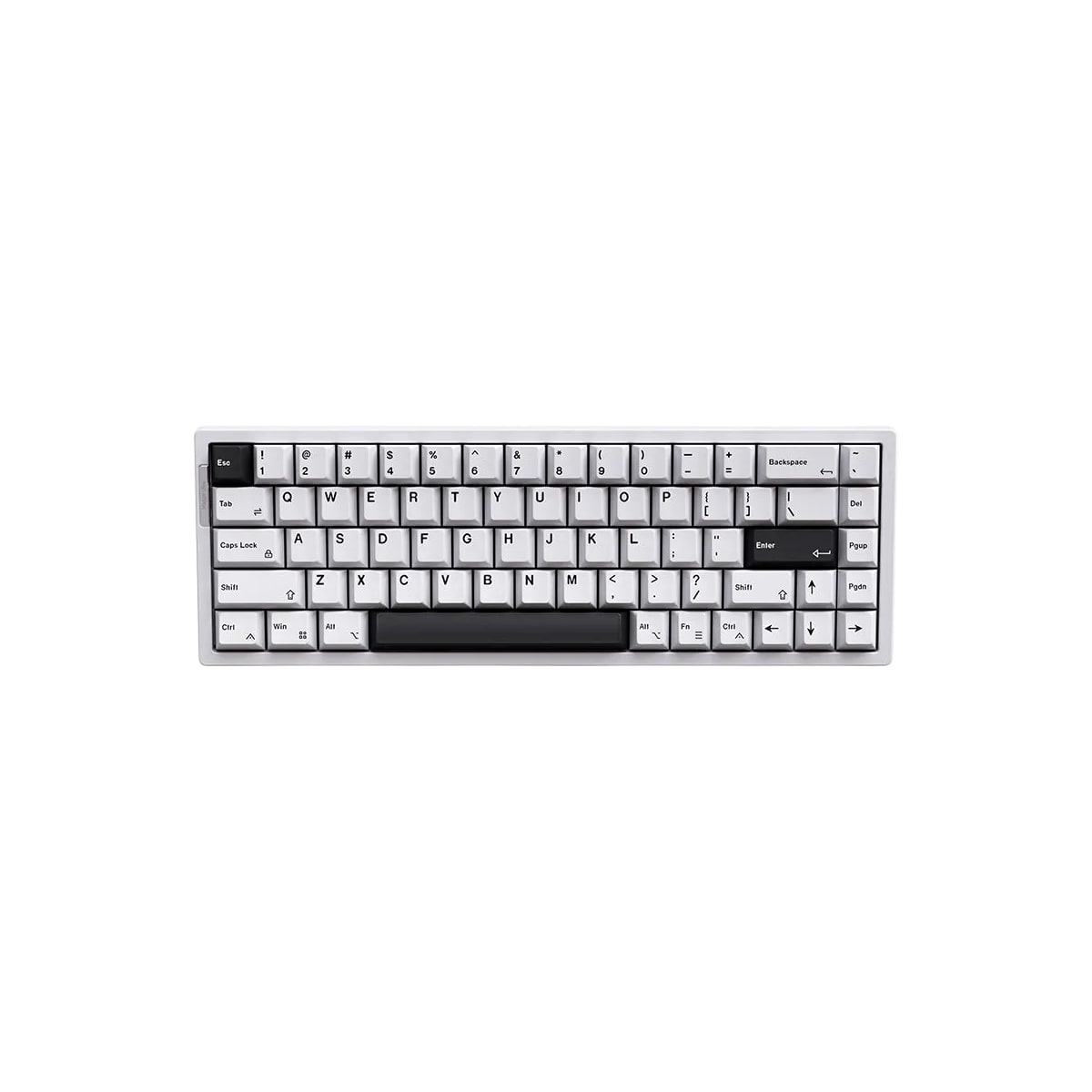
LUMINKEY Magger68 HE Ultra 65% Hall Effect keyboard
- ✓65% ANSI, split top-bottom aluminum case, 1.2kg, sandwich mount
- ✓Gateron Magnetic Jade Pro switches, internal aluminum plate
- ✓Actuation 0.1 to 3.5mm in 0.1mm steps, Dynamic Keypath (DKS) at 0.02mm
- ✓8000Hz wired polling; latency published as both 0.08ms and 0.3ms
- ✓PBT keycaps with ALOHAKB, 16.5mm front height at 7 degrees
The two larger layouts: Luminkey75 V2 and LUMINKEY98 V2
The 75 V2 is the one board among these eight with a quick-release mechanism. LUMINKEY describes a ball catch that lets you swap the foam and plate without undoing screws, plus a horizontal scroll wheel you can program. It runs a 1.6mm tri-mode hot-swap PCB with a 4000mAh battery, weighs 1.95kg at 332.4mm by 142mm by 19.85mm, sits at 7 degrees on a gasket mount, and its programming row is the only one among these eight that splits by connection: LUMINKEY APP on tri-mode, VIAL when wired.
One trap on that page worth naming. Its page lists a Switches Type filter carrying both Mechanical and Magnetic HE, which reads as though a Hall Effect 75 V2 exists. Every purchasable variant is mechanical, and the polling row with its Bluetooth figure and the switch-type row naming LUMINKEY Astral mechanical switches both confirm which side of the split this board is on. What the Magnetic HE entry refers to is not stated on the page.
The LUMINKEY98 V2 is the full-size-with-numpad answer, and its description calls the numpad switchable right or left (southpaw) where no other page among these eight describes that. Its spec table gives a 6000mAh battery, gasket mount, plate-mounted stabilizers, 6063 aluminum with an anodized or powder-coated finish, per-key RGB, Astral switches and a 400mm by 136mm footprint with a 19.9mm front height at 7 degrees.
The 98 V2 page also carries a layout problem rather than a facts problem. A swipe-to-compare block on that page puts the original LUMINKEY 98 in the first column and the 98 V2 in the second. Column one says Top-mount, Sylva Switch and a 4400mAh battery. Column two says PCB gasket-mounted, Astral Switches and a 6000mAh battery. Both columns are correct about their own product, and a reader who takes the first figure on the page as the V2's publishes a battery that belongs to the model it replaced.
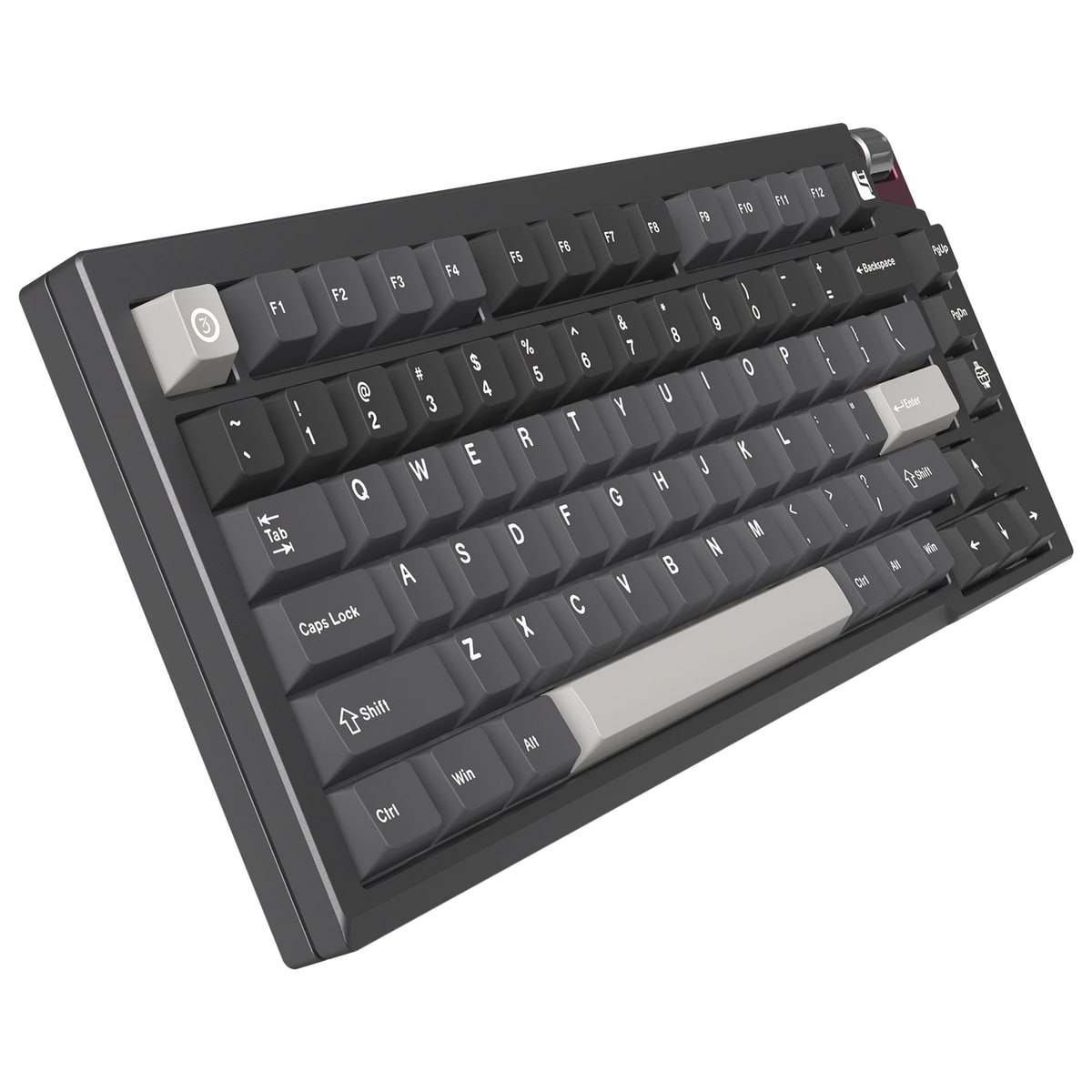
LUMINKEY Luminkey75 V2 75% tri-mode mechanical keyboard
- ✓75% ANSI, 6063 aluminum, 1.95kg, gasket mount, 7 degrees
- ✓1.6mm tri-mode hot-swap PCB with a 4000mAh battery
- ✓Programming: LUMINKEY APP on tri-mode, VIAL when wired
- ✓Ball-catch quick release for foam and plate swaps
- ✓Programmable horizontal scroll wheel; PBT dye-sub keycaps
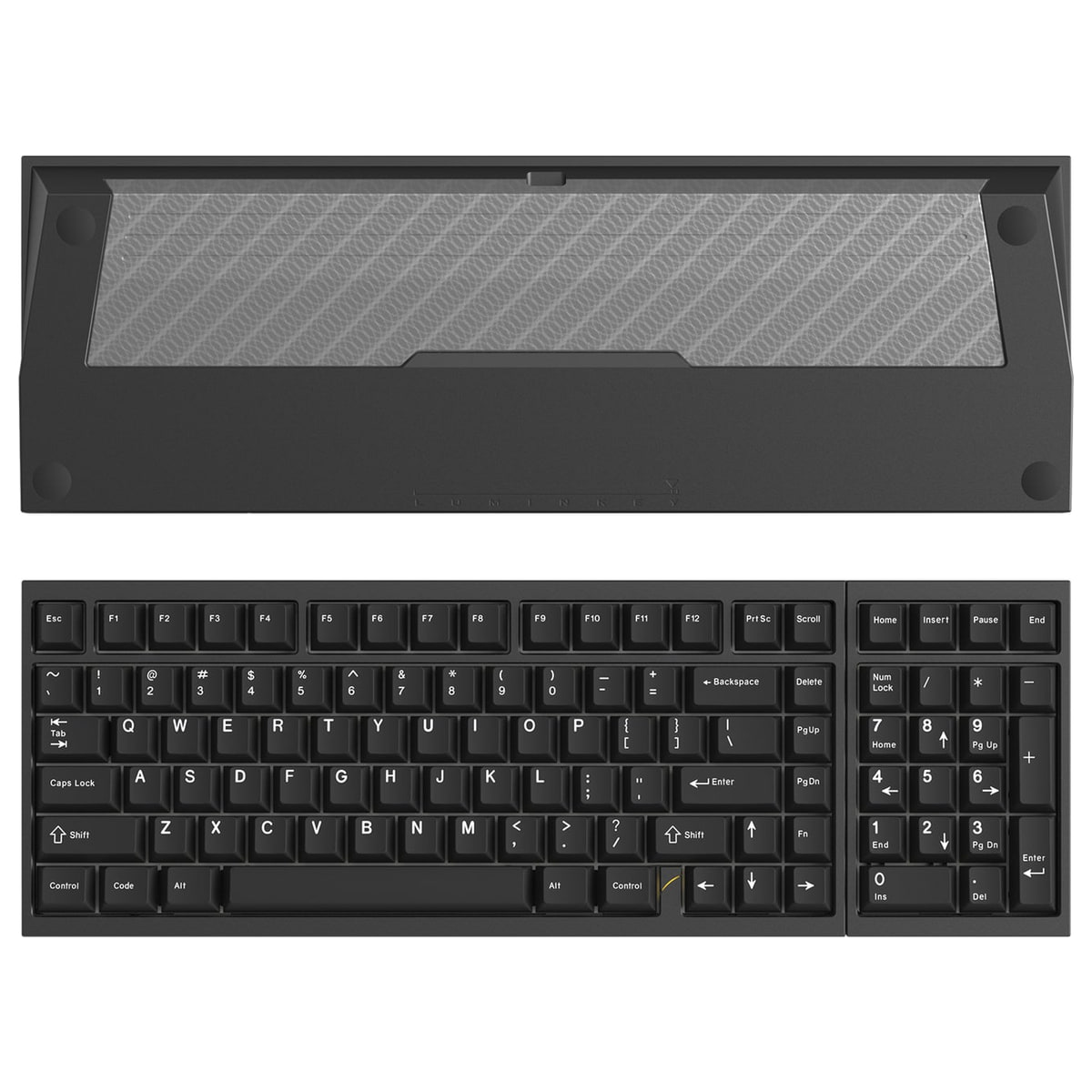
LUMINKEY LUMINKEY98 V2 98% tri-mode mechanical keyboard
- ✓98% with a numpad that can sit left or right
- ✓6000mAh battery, gasket mount, plate-mounted stabilizers
- ✓6063 aluminum, anodized or powder-coated, per-key RGB
- ✓Astral switches, 400mm by 136mm, 19.9mm front height, 7 degrees
- ✓The page claims dual 8K polling in prose; its table lists no figure
The 80% board, and which firmware each route uses
The LUMINKEY80 V1 lists QMK and VIA in its programming row, and its layout row is the only one of these eight that names ISO beside ANSI. That combination is why it is the board to pick if you intend to write your own layout rather than click through a vendor app. One exception worth knowing: the Luminkey60 Pro's layout row reads ANSI only, while its description advertises a 60% ISO/ANSI layout and ANSI/ISO layout support, so the row is not the whole story on that board. It is 80% with a separate navigation cluster and no numpad, 359mm by 136mm by 19mm, 6063 aluminum, gasket mounted at 7 degrees, with a copper badge and Gateron stabilizers.
Seventeen of its 28 variants were in stock at capture, spanning two connection types, two keycap sets, a barebone kit and five case finishes. Its wired latency of 2ms is the lowest published figure among the three mechanical boards that print one, against 5ms on both the 60 Pro and the 75 V2. The 2.4GHz figure of 6ms beats those two at 7ms. Bluetooth is the sacrifice at 40ms, against 18ms on both of them.
One reading note. The 80's switch specification cell contains two product specifications stacked together, and the second is labelled LUMINKEY80 MK II Switches. The V1 figures are the Gateron-built linear at 3.7mm plus or minus 0.3mm total travel and 48gf operating force; the MK II figures are 2.0mm plus or minus 0.4mm pretravel and 3.5mm plus or minus 0.2mm total travel at 45g plus or minus 5gf. The MK II is a separate current product with its own listing, so a buyer comparing the two boards is not looking at a revision, they are looking at two SKUs.
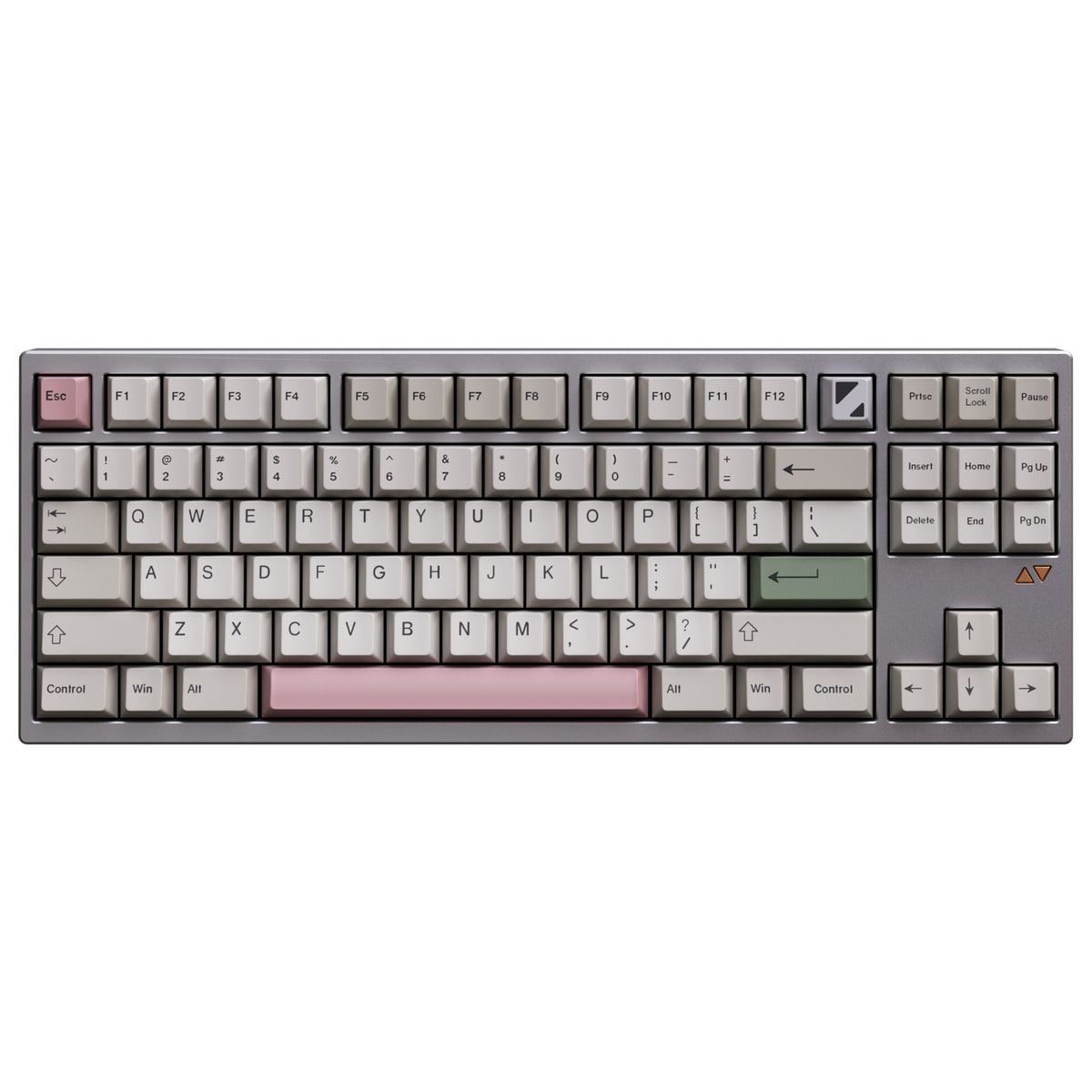
LUMINKEY LUMINKEY80 V1 80% tri-mode mechanical keyboard
- ✓80% tenkeyless, ANSI or ISO, 6063 aluminum, 359 by 136 by 19mm
- ✓Programming support lists VIA and QMK
- ✓Latency: 2ms wired, 6ms at 2.4GHz, 40ms over Bluetooth
- ✓Wired, tri-mode and barebone kit variants all sold
- ✓Gasket mount, 1.5mm PC plate, copper badge, 7 degrees
Five ways LUMINKEY lets you program a board
Programming is the second split in this lineup and the store does not advertise it as one. Five different routes appear across the eight boards, and which one you get decides how much of the configuration lives in a browser versus in firmware.
- ▸LUMINKEY APP: the Luminkey60 Pro and the Luminkey75 V2 in tri-mode.
- ▸VIAL: the Luminkey75 V2 when it is wired, and VIAL is itself a QMK fork, so this is a QMK-based route with a graphical configurator on top.
- ▸QMK and VIA: the LUMINKEY80 by specification row, and the LUMINKEY98 V2 by variant name.
- ▸Luminkey Web Drive: the Magger60 HE, described as a browser driver wanting no download.
- ▸Web App: both Magger68 boards, whose programming row names a web app and no further detail.
The 98 V2 route is the one to read carefully at checkout, because it is not a specification row. The 98 V2's description says "Now with QMK/VIA Support", and its colour variants are named for it: the QMK VIA versions and a separate LUMINKEY Web Drive version sit in the same selector. So the firmware route on that board is a choice you make when you pick a colour, not something the board does either way. The four QMK VIA colours are the ones with QMK support.
The distinction that matters in practice is the browser routes. LUMINKEY65 HE Ultra says its web driver adjusts actuation points, RGB patterns and OTA firmware updates with no download, and the Magger60 HE names the Web Drive product. The two Magger68 boards list only Web App in the same row, so the guide does not extend the no-download claim to them. If working entirely in a browser without installing anything is the requirement, the 65 HE Ultra and the Magger60 HE are the two boards that state it.
What the warranty and return pages say
LUMINKEY's policy pages disagree with LUMINKEY's product pages, on three separate facts. All of these were live on November 21, 2026, and the disagreement is reported here rather than smoothed over, because which page you trust changes what you do when something goes wrong.
The warranty term has two versions. Every product page, and the shop-with-confidence page, prints 1-Year Official Warranty covering the internal PCB and core electronics. The support page prints Lifetime Warranty and describes it as long-term support for eligible keyboards bought from the official site. Neither page says it supersedes the other, and both were serving the same day.
The return window is stated in more than one form, and two of them appear on the same product page. The refund policy says within 7 calendar days of product delivery, repeats that returns are no longer available after 7 days, and allows custom items 3 calendar days, but only when the item arrives defective or damaged. The support page says 7 calendar days as well. The shipping policy puts its own version as within 7 days upon product or parcel arrival, and adds that a return unrelated to quality leaves the return shipping with the buyer. Each product page also carries its own return paragraph giving 7 days from receipt, and each product page carries a 30-Day Returns badge beside it. The shop-with-confidence page prints the same 30-Day badge.
Cancellation has two versions, and this one decides what you are refunded. The support page says a cancellation request is answered within 24 hours and, if approved, refunded in full to the original payment method. The refund policy says that if the cancellation is for personal reasons, a 5% cancellation fee is deducted from the refund. The same policy splits by condition: a return of an unused item in the condition it arrived costs the buyer the shipping fees and up to a 5% transaction fee, while an item that arrives defective or damaged is refunded including both.
Two more terms worth knowing before you order. Keyboards ship by FedEx or DHL rather than air mail because they weigh more than 2kg, and the store states that its product figure does not include VAT or import tax for your country. The shipping policy also puts a hard clock on customs: if the carrier asks for information such as a tax payment and it does not arrive within 48 hours, the parcel returns to the origin warehouse and reshipping costs extra.
The shipping policy carries the FedEx and DHL routing, the import tax exclusion and the 48-hour customs deadline.
Read the shipping policyOne board that disagrees with itself, and one that publishes less
The Magger68 HE Ultra carries two conflicts inside a single product page. It lists its latency as 0.08ms in the spec table and says in its description that the switches run at 0.3ms. Those may well be two different measurements, the chipset and the switch, but the page never says so, and the guide cannot invent the distinction on the brand's behalf. The same page calls its switches GATERON Magnetic Pro in prose and Gateron Magnetic Jade Pro in the table.
The Magger68 HE Plus is quieter about its gaps. Its table has no Plate row and no Keycaps row at all, and the Ultra publishes a Keycaps row while omitting the plate row and naming an internal aluminum plate only in its description. The guide does not carry the Ultra's keycap specification over to the Plus, because two different 65% boards are not interchangeable evidence for each other.
None of this is a reason to avoid the boards. It is a reason to read the model page you are buying rather than this guide, or the one above it, when the two disagree.
Which board for which desk
Set the switch question first. If the board must work untethered, or you type across two machines, choose from the mechanical four and the choice is layout: 60 Pro for the smallest footprint, 75 V2 for the quick-release and scroll wheel, 80 V1 for QMK and ISO, 98 V2 for a numpad you can move to the left. If the board lives on one cable and the press is the point, choose from the Hall Effect four and the choice is actuation resolution: Magger60 at 0.01mm steps, either 68 at 0.1mm steps and a sandwich mount.
Two specific picks. Two of these eight advertise ISO: the LUMINKEY80, in its layout row beside ANSI, and the Luminkey60 Pro, in its description. Of those two only the 80 publishes QMK in its programming row, so it is the one to take if you will write your own layout, and the 60 Pro is the choice if a 60% footprint matters more than firmware. The Magger60 HE is the board to buy if you want the finest programmable actuation step in a 60% case, because it publishes 0.01mm against the 0.1mm of both Magger68 boards and it is not the barebone-only kit the 65 HE Ultra is.
And one to think about twice. The LUMINKEY65 HE Ultra is sold barebones only, and its page publishes no packing list. If you want a finished board, the two Magger68 boards are the assembled Hall Effect 65%s in this lineup, so the comparison is between a kit and a finished board rather than two figures for one.
Two guides on this site cover neighbouring lineups. If the deciding question is QMK, ZMK and a full-size layout rather than magnetic switches, the Keychron guide walks that lineup instead. If you are weighing Hall Effect boards across brands rather than within this one, the ATK guide is the comparison page.
Inside the eight this guide documents, LUMINKEY's lineup is two product families and the split is switch technology rather than layout or tier. The wider catalogue is not that clean, which is why the axis above is scoped to these eight. Three of the mechanical boards publish a 1000Hz ceiling and one states 8K in prose only, four run a cable at 8000Hz, and the mount differs by model in a way the store does not put on a comparison page. Every specification above is LUMINKEY's own published figure read on November 21, 2026, the warranty and return terms are quoted as the pages print them including where they contradict each other, and the model page in front of you is the authority when it disagrees with this one.
LUMINKEY's own storefront is the source for every product page, spec table and policy quoted above, all read on November 21, 2026. It remains the place to check current availability, variant stock and listed specifications before you order. Product photographs are sourced from LUMINKEY's official product galleries with the brand's permission, as reported by the project owner.
Visit the LUMINKEY store