Keychron Keyboard Buying Guide: Mechanical, Hall Effect, Low-Profile and Full-Size Models
Keychron's current catalog spans mechanical and Hall-effect boards, wired 8K and wireless, and layouts from 75% to full size. This guide maps the lineup on the company's own published specs, names where its pages conflict, and walks through what to check before you order.
What this guide covers
Keychron sells a lot of keyboards, and the way it names them hides how they differ. The Q, K and V series, the Ultra and Max suffixes, the 8K polling numbers, and the separate Hall-effect (HE) line all get folded together by the storefront. This guide maps the current families on what Keychron itself publishes and walks through the six skills that separate one keyboard from another: switch type, layout, connectivity, polling rate, firmware and hot-swap compatibility.
Every figure in this guide is what Keychron states on its own product pages, all read on 2026-10-09, and where a page contradicts itself, this guide says so instead of quietly picking a side.
Affiliate disclosure: JellyMark may earn a commission when an eligible purchase is correctly attributed through an affiliate link. Attribution is handled by the store's own systems and can change, so no guarantee is implied here.
How Keychron's current families differ
The family letters mostly say where a board sits in the range, and the suffixes say which generation it is. The Q series is the full-metal line, the V series the value line, and the K series the broader wireless line that mixes aluminum and plastic builds. The Max suffix names the previous generation of wireless boards (QMK, 1000 Hz polling). The Ultra 8K suffix names the current head of the line for wireless boards (2.4 GHz wireless polling up to 8000 Hz). The HE 8K line is the wired Hall-effect line, and there is a separate set of HE boards with QMK wireless at 1000 Hz.
Two distinctions matter before you read further. First, not every 8K board is the same: the V-series 8K wired boards are mechanical (Keychron Super Switch), while the Q and J-series HE 8K boards are magnetic. Do not read one family's spec and assume the other works the same way. Second, the Ultra boards are mechanical (Keychron's Silk POM, Milk POM and Apex switch families) apart from one hybrid board, and the HE boards are magnetic. The HE name is a switch technology, not a promise that a board is new or premium.
Mechanical switches vs Hall-effect (magnetic) switches
In a classic mechanical keyboard, each key press closes a metal contact. In a Hall-effect (HE) board, each key carries a magnet and a sensor measures the magnet's position, so the board knows how far the key has travelled and can be set to register a press at different depths. That is what Keychron means by adjustable actuation range, for example 0.1 to 3.35 mm on the Q1 HE 8K and 0.2 to 3.8 mm on the K2 HE, and it is what makes features like Rapid Trigger (on some HE models) possible: the switch can register a reset before the key returns to its resting position.
This is a technology difference, not a quality verdict. A magnetic switch is not automatically better than a mechanical one. For a buyer, the practical differences are: HE boards let you set the actuation point per key and can sense the key's position continuously, while mechanical boards have a wider and older ecosystem of replacement switches (on the models that support it, standard 3-pin or 5-pin MX-style switches, with the caveats below). Whether a specific board accepts a specific switch is model-specific, so check the compatibility clause on the exact page.
Keyboard layouts: 75%, low-profile and full-size
Layout is the first decision, because the other differences sit on top of it. A 75% board keeps the main typing block plus the F-row and arrow keys, trimming the number pad and some navigation cluster. Full-size (100%) boards keep the number pad. Low-profile boards use thinner switches and keycaps, so the board sits closer to the desk and the key travel is shorter.
Among the six models covered here: the Q1 HE 8K, K2 HE, Q1 Ultra 8K and K3 Ultra 8K are all 75% keyboards (the K3 Ultra in low profile); the V6 8K and K10 Ultra 8K are full-size. If the number pad is part of how you work, that alone decides between the two full-size boards and the four compact ones.
Current-generation guide: HE 8K, HE wireless, Max and Ultra
Keychron's live catalog is large, and this guide covers six representative current models, one per job. A full catalog tour would run to several hundred product pages, so the six below are picks for distinct uses, not a ranking: a wired premium Hall-effect board (Q1 HE 8K), a wireless Hall-effect board (K2 HE), a premium wireless mechanical 75% board (Q1 Ultra 8K), a value full-size wired mechanical board (V6 8K), a low-profile wireless mechanical board (K3 Ultra 8K), and a full-size wireless mechanical board (K10 Ultra 8K). Older-generation Max boards are referenced for comparison in the prose, but they are not the current head of the line.
Six representative current models
Each card below is a representative choice by use case from Keychron's current lineup. It is not a ranking; the right pick is the one that matches your job.
Keychron Q1 HE 8K: the wired Hall-effect pick
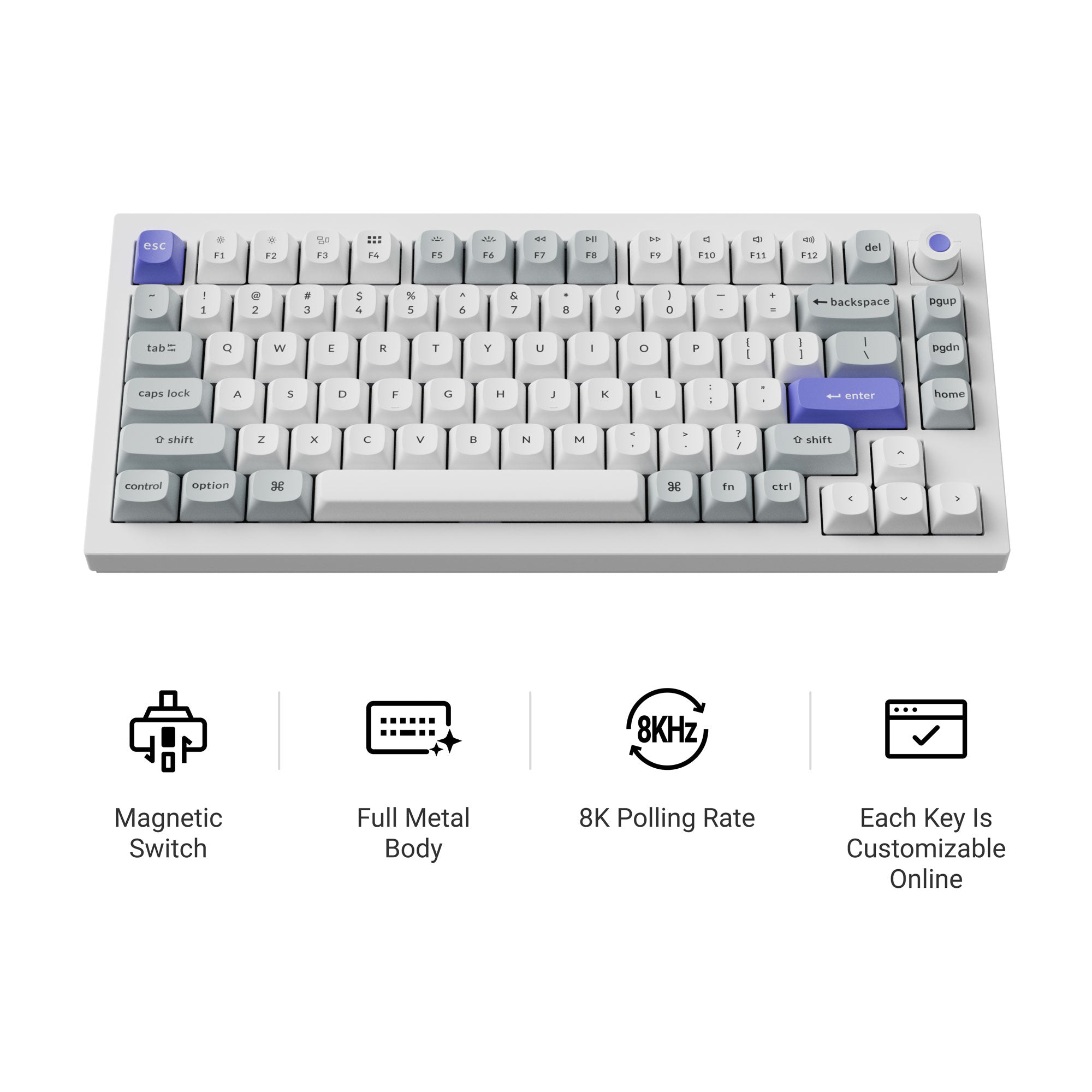
The Q1 HE 8K is the wired 75% head of the HE line. Keychron states an 8000 Hz polling rate and a 256 kHz single-key scanning rate, a 0.1 to 3.35 mm adjustable actuation range, Rapid Trigger, a full aluminum gasket-mounted build, keycaps in OSA double-shot PBT, and weights, dimensions and RGB backlight on the specifications field. Its 75% layout has a rotary knob. It is wired only, and its firmware is handled through the Keychron Launcher web app, which has a Switch Type Setting step for pairing the keyboard with its switches.
Q1 HE 8K switch compatibility is stated two ways on the current official page. The product details say hot-swapping with Keychron Lime and Gateron Jade magnetic switches, and point to the Launcher Switch Type Setting for installation steps. The spec table says the board is compatible with the Keychron Ultra-fast Lime Magnetic Switch only. Check the current Switch Type Setting / compatibility guidance on the Launcher before buying replacement magnetic switches. Do not assume universal magnetic-switch compatibility.
Keychron Q1 HE 8K Magnetic Switch Keyboard
- ✓75% layout, ANSI, aluminum gasket-mounted build, rotary knob
- ✓8000 Hz polling and 256 kHz single-key scanning rate (Keychron)
- ✓Keychron Ultra-fast Lime Magnetic switches, hot-swappable; see the compatibility caveat above
- ✓Adjustable actuation 0.1-3.35 mm with Rapid Trigger
- ✓Keychron Launcher web app; Switch Type Setting for switch pairing
Keychron K2 HE: the wireless Hall-effect pick
The K2 HE is the wireless 75% Hall-effect board, the one that gets magnetic adjustability without a cable. Keychron states 2.4 GHz and Bluetooth (up to three devices) plus a wired connection, with 1000 Hz polling over the wire and on 2.4 GHz and 125 Hz over Bluetooth, a 0.2 to 3.8 mm adjustable actuation range, Rapid Trigger, a 4000 mAh battery rated up to 110 hours, a tray-mounted aluminum build and a 980 g weight. Its firmware is QMK and it uses the Keychron Launcher web app.
K2 HE compatibility depends on the switch version, and the current page says so. The Gateron Double-Rail Magnetic Nebula Switch Version 2 supports Keychron Ultra-fast Lime Magnetic Switches; Version 1 supports only Gateron Double-Rail Magnetic Switches. Check which Nebula version is in your board before buying Lime switches.
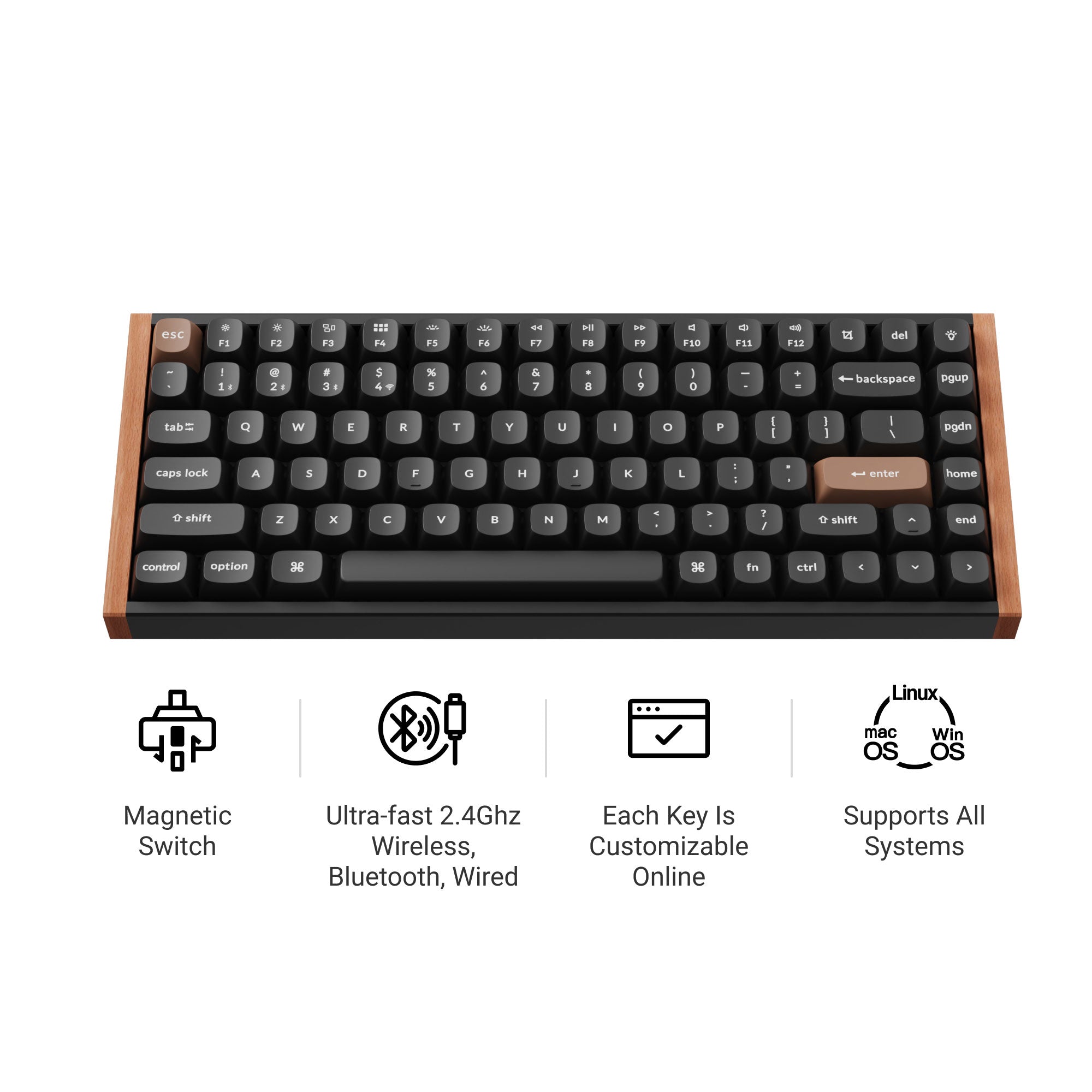
Keychron K2 HE Wireless Magnetic Switch Keyboard
- ✓75% layout, wireless via 2.4 GHz, Bluetooth x3 and wired; 1000 Hz polling on wired and 2.4 GHz, 125 Hz on Bluetooth (Keychron)
- ✓Gateron Double-Rail Magnetic Nebula switches; compatibility is version-specific
- ✓Adjustable actuation 0.2-3.8 mm with Rapid Trigger
- ✓4000 mAh battery, up to 110 hours (Keychron)
- ✓QMK firmware and the Keychron Launcher web app
Keychron Q1 Ultra 8K: the premium wireless mechanical 75%
The Q1 Ultra 8K is the current premium wireless mechanical 75% board, a CNC aluminum gasket-mount build. Keychron's current page calls it a next-generation 75% layout wireless custom mechanical keyboard, states 8000 Hz polling in both wired and 2.4 GHz wireless modes with 125 Hz over Bluetooth, and says the board runs ZMK firmware with 8K over the air. The battery is stated at 4000 mAh rated up to 660 hours, the switches are Keychron Silk POM Red, Brown or Banana, and the configurator is the Keychron Launcher web app.
One software note: the current page does not put QMK or ZMK in its software specification field; the ZMK name comes from the product copy, which says the board is powered by ZMK firmware and shows a ZMK and Web Launcher badge. ZMK is the firmware the page names, so it is the firmware this guide names for this model.
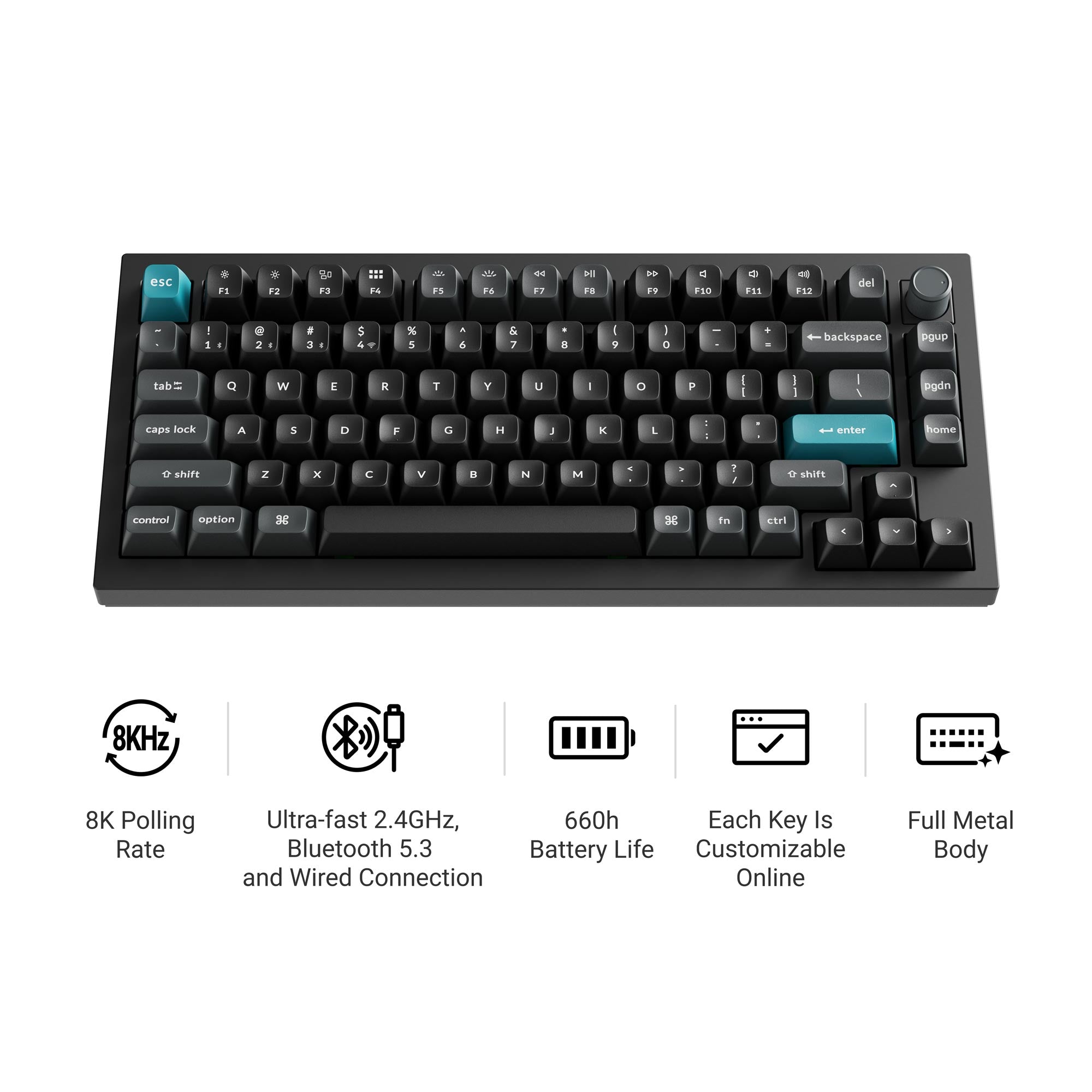
Keychron Q1 Ultra 8K Wireless Custom Mechanical Keyboard
- ✓75% layout, full-metal build, CNC aluminum, gasket mount
- ✓8000 Hz polling in wired and 2.4 GHz wireless modes (Keychron)
- ✓Powered by ZMK firmware, per the current product copy
- ✓Keychron Silk POM switches, hot-swappable
- ✓4000 mAh battery, up to 660 hours (Keychron); Keychron Launcher web app
Keychron V6 8K: the value full-size wired pick
The V6 8K is the value end of the full-size wired line. It is a full-size 100% board with a rotary knob, an 8000 Hz wired polling rate, a plastic tray-mounted build with a steel plate, and keycaps in OSA double-shot PBT. The stock switch is Keychron's Super Switch, in Red or Banana options on the page, and the page states the board runs QMK firmware with the Keychron Launcher web app.
Do not confuse the stock switch with the compatibility universe. The current page states you can hot-swap every switch on the V6 8K with almost all 3-pin and 5-pin MX-style mechanical switches on the market, including Cherry, Gateron, Kailh and Panda, without soldering. Keychron's storefront cross-promotes magnetic Lime switches near this board; that is a suggestion, not a compatibility claim, and a magnetic switch is not one of the MX-style options this page describes.
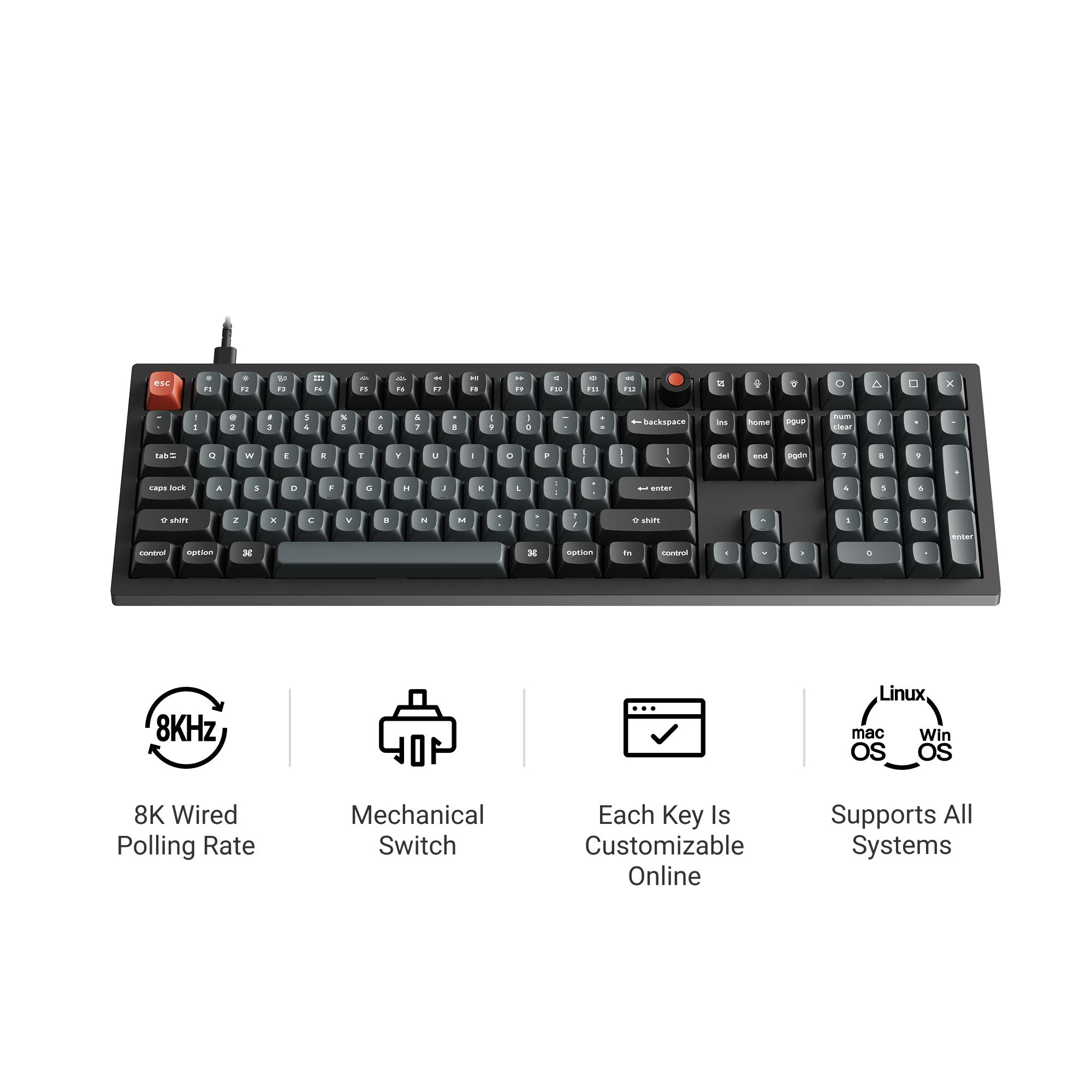
Keychron V6 8K QMK Wired Custom Mechanical Keyboard
- ✓Full-size 100% layout with rotary knob
- ✓8000 Hz wired polling rate (Keychron)
- ✓Keychron Super Switch stock; hot-swaps with almost all 3-pin and 5-pin MX-style mechanical switches (Keychron)
- ✓QMK firmware and the Keychron Launcher web app
- ✓Plastic tray-mounted build with steel plate
Keychron K3 Ultra 8K: the low-profile wireless pick
The K3 Ultra 8K is the current low-profile wireless head of the line, and it is the one board here a buyer might describe as remarkably thin before they notice anything else. Keychron states a 2.4 GHz, Bluetooth and wired connection set with 8K wireless polling in 2.4 GHz mode (8000 Hz on wired and 2.4 GHz, 125 Hz over Bluetooth), keycaps in LSA double-shot PBT, an aluminum-and-wood build with an anodized aluminum alloy plate, a 2600 mAh battery rated up to 550 hours, and a weight of 566 g. Its switches are Keychron Milk POM Red, Brown or Banana.
K3 Ultra 8K firmware is named two ways on the current official page: the specifications block says QMK firmware, while the product description says the board is powered by ZMK firmware and claims the 8K polling rate in wireless mode follows from it. Keychron names both on the same page, so this guide reports both and does not pick one. The 8000 Hz polling figure is in the specifications and is safe to state; its firmware attribution is not.
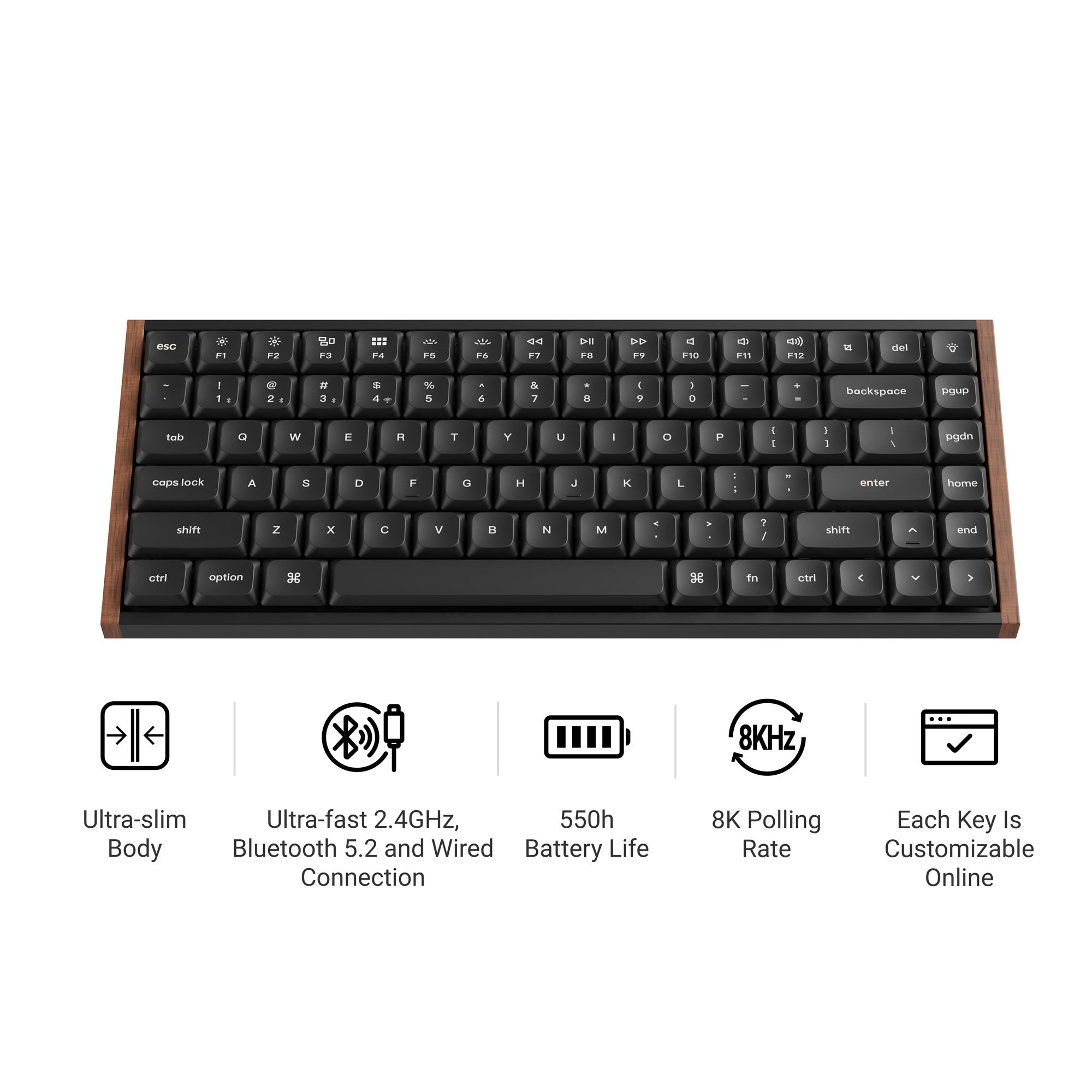
Keychron K3 Ultra 8K Wireless Custom Mechanical Keyboard
- ✓75% low-profile layout
- ✓8000 Hz polling in 2.4 GHz wireless mode (Keychron)
- ✓Keychron Milk POM switches, hot-swappable
- ✓2600 mAh battery, up to 550 hours (Keychron)
- ✓Firmware stated as both QMK and ZMK on the current page; see the caveat above
Keychron K10 Ultra 8K: the full-size wireless pick
The K10 Ultra 8K is the full-size wireless board in the current Ultra line. Keychron states a 100% layout, 2.4 GHz, Bluetooth and wired connections, 8000 Hz polling in 2.4 GHz mode (8000 Hz on wired and 2.4 GHz, 125 Hz over Bluetooth), an ABS build with a steel plate, keycaps in OSA double-shot PBT, a 4000 mAh battery rated up to 600 hours, and a weight of 1495 g. Its switches are Keychron Apex Red, Brown or Banana, hot-swappable.
K10 Ultra 8K firmware is named three ways on the current official page: the specifications software field says QMK firmware with the Keychron Launcher web app, the product description says the board is powered by ZMK firmware and offers an 8K polling rate in 2.4 GHz mode, and the marketing copy repeats the ZMK name. Keychron contradicts itself across the same page, so this guide reports all three surfaces rather than picking one. The 8000 Hz polling figure is from the specifications and is safe; its firmware attribution is not.
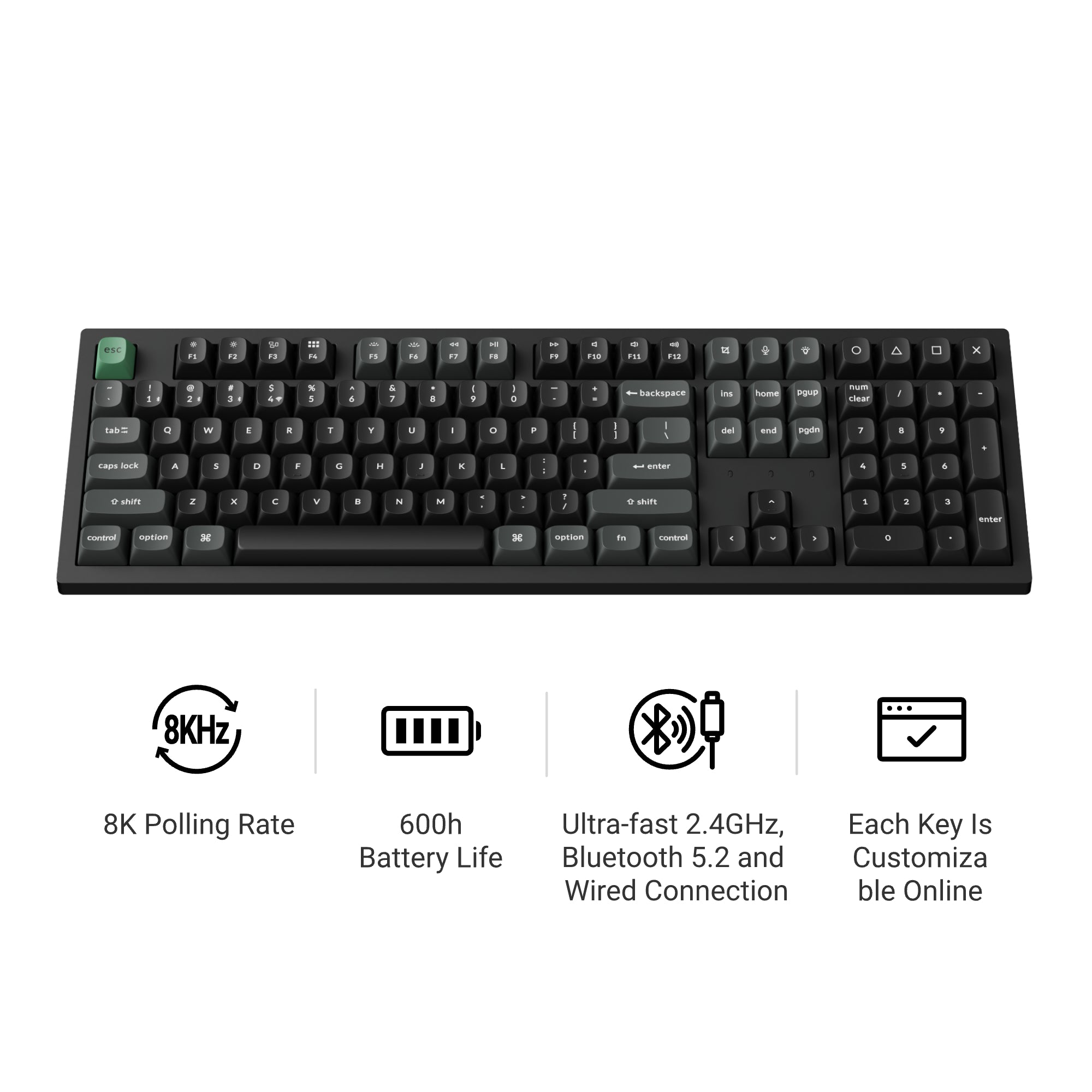
Keychron K10 Ultra 8K Wireless Custom Mechanical Keyboard
- ✓Full-size 100% layout
- ✓8000 Hz polling in 2.4 GHz wireless mode (Keychron)
- ✓Keychron Apex switches, hot-swappable
- ✓4000 mAh battery, up to 600 hours (Keychron)
- ✓Firmware stated as both QMK and ZMK on the current page; see the caveat above
Connectivity and polling-rate differences
Polling rate is how often the keyboard reports its state to the computer, and the numbers Keychron quotes are 8000 Hz, 1000 Hz and 125 Hz plus, on the wired HE line, a separate single-key scanning figure. In Keychron's current lineup: the wired 8K boards (Q1 HE 8K, V6 8K) state 8000 Hz polling over the cable; the Ultra 8K wireless boards (Q1 Ultra, K3 Ultra, K10 Ultra) state 8000 Hz polling on the wire and on 2.4 GHz wireless, which Keychron's product copy ties to ZMK on these models, and 125 Hz over Bluetooth; and the wireless HE board covered here (K2 HE) states 1000 Hz on wired and 2.4 GHz, with 125 Hz over Bluetooth. The wireless 8K claim should be read per model: 2.4 GHz is where Keychron claims 8K, and Bluetooth stays at 125 Hz on these pages.
Whether a faster polling rate matters to you depends on what you ask of the keyboard. It is a published specification, and this guide reports it as the maker's figure.
QMK, ZMK and the Keychron Launcher
QMK and ZMK are open-source firmware projects, and the Keychron Launcher is a browser-based configuration app that remaps keys, sets macros and updates firmware on the boards that support it. The firmware and the configurator are separate claims, and Keychron's pages sometimes blur them.
For the six models here, the picture is: the Q1 HE 8K and K2 HE run QMK firmware and use the Keychron Launcher (the Q1 HE 8K page points to the Launcher's Switch Type Setting step for switch pairing). The V6 8K runs QMK firmware with the Keychron Launcher web app. The Q1 Ultra 8K is described as ZMK-powered in its product copy, with the Launcher as its web configurator. The K3 Ultra 8K and K10 Ultra 8K both state QMK in their specifications blocks and ZMK in their product descriptions, so their firmware label is disputed by Keychron itself and this guide reports both.
Where Keychron says a board works with the Launcher, that is a browser-based configuration claim, not a typing-feel or latency claim, and it carries no test result from JellyMark.
Switch and hot-swap compatibility
Hot-swap means you can pull a switch out and push a replacement in without soldering. The exact replacement universe is model-specific, and three of the six boards here carry a notable qualifier:
- ▸Q1 HE 8K: the current page states Lime and Gateron Jade magnetic compatibility in the product details while its spec table says the Ultra-fast Lime Magnetic Switch only. Check the Launcher's Switch Type Setting guidance before buying replacement magnetic switches.
- ▸K2 HE: the Nebula switch version decides. Version 2 supports Keychron Ultra-fast Lime Magnetic Switches; Version 1 supports only Gateron Double-Rail Magnetic Switches.
- ▸V6 8K: stock switches are Keychron Super; the page states the board hot-swaps with almost all 3-pin and 5-pin MX-style mechanical switches on the market (Cherry, Gateron, Kailh, Panda are named). Magnetic switches are not among the MX-style options this page lists.
- ▸Q1 Ultra 8K, K3 Ultra 8K and K10 Ultra 8K: mechanical boards with Keychron's Silk POM, Milk POM and Apex switch options respectively, each hot-swappable per the current pages.
The general rule that runs through all of this: do not generalize one Hall-effect board's compatibility to another HE board, and do not read a storefront cross-promotion as a compatibility claim. The model page, and the version of the switch in your board, are the authorities.
Warranty, returns and support
Keychron's published terms for purchases from the keychron.com store, read 2026-10-09 from the store's own policy pages, apply to direct-store purchases; regional stores and resellers run their own programmes. The warranty is twelve months from delivery to the first end-user unless a document sold with the product says otherwise, and it covers defects against the product's specification; keycaps and palm rests carry a three-month warranty, and several exclusions are listed on the page, including water and lightning damage, misuse, unauthorized modification and normal wear.
Returns: Keychron states that a return not caused by a quality issue must be requested within 7 days of arrival and the customer pays the return shipping cost, with a refund for the product cost only. Wrong-layout or wrong-version shipments should be emailed within 7 days of delivery with an image and tracking number. For EU consumers the store says the statutory withdrawal period is 14 days without a reason, returning within 14 days of the notice, and the buyer bears the direct return cost except for defective or incorrect goods.
These are Keychron's published terms, not advice about a claim. The policy pages are the authoritative text and can change, and the links below are kept free of affiliate tracking.
What to check before you order
- ▸Layout: confirm the number pad question first. The V6 8K and K10 Ultra 8K are full-size; the four others here are 75% boards.
- ▸Switch technology: choose mechanical or Hall-effect, then read that model's compatibility clause to know what replacement switches it accepts.
- ▸Connectivity: decide whether you need wireless, and on the wireless boards check which mode carries the 8K polling claim (2.4 GHz) if that number matters to you.
- ▸Confirm the current spec on the store that serves you. Keychron edits its pages without notice, and this guide's figures were observed on 2026-10-09.
- ▸Read the firmware caveats for the K3 Ultra and K10 Ultra if you plan to flash alternate firmware: the firmware name is disputed by Keychron itself on the current pages.
- ▸Check the regional store and warranty terms before ordering from a reseller: Keychron's published twelve-month warranty text covers direct-store purchases, and regional stores run their own programmes.
Frequently asked questions
What does HE mean on a Keychron keyboard? Hall Effect. The switch carries a magnet and the board senses its position, so actuation can be set within a range instead of fixed at a contact. On the six models here the Q1 HE 8K and K2 HE are HE boards; the V6 8K, Q1 Ultra 8K, K3 Ultra 8K and K10 Ultra 8K are mechanical.
Is an 8000 Hz polling rate always better? It is a published specification that means the board reports to the computer more often per second. Whether that changes anything for you depends on your use; this guide reports the maker's figure and claims nothing more.
Is the K3 Ultra 8K low-profile? Yes. Keychron lists it as a low-profile 75% board with 566 g weight and LSA double-shot PBT keycaps, which places it in a different shape class from the standard-height boards covered here.
Which Keychron board is QMK and which is ZMK? The pages themselves disagree for the K3 Ultra 8K and K10 Ultra 8K, which each state QMK in the specifications and ZMK in the product description. The Q1 HE 8K, K2 HE and V6 8K pages name QMK firmware; the Q1 Ultra 8K product copy names ZMK. Treat the disputed models as unresolved on the current pages.
Does a Keychron warranty cover keycaps? The store's published warranty text gives keycaps and palm rests a three-month warranty, shorter than the twelve-month board warranty, and lists exclusions including normal wear.
Are magnetic Lime switches compatible with the V6 8K? No. The V6 8K is a mechanical board whose page states hot-swap compatibility with MX-style mechanical switches, and magnetic switches are not among them. The storefront cross-promoting Lime switches near the V6 8K is not a compatibility claim.
The bottom line
Keychron's current lineup covers mechanical and Hall-effect switch types, layouts from 75% to full size and low profile to standard height, and both wired and wireless boards. The six models here are representative picks from that lineup, each sourced from what Keychron publishes on 2026-10-09. Keep the order of operations straight: settle the layout, decide mechanical or magnetic, confirm the wireless mode that carries the polling number you care about, read the model-specific compatibility and firmware clauses, and re-check the spec on the store that serves you before you order.