Googlebook: Buy Now or Wait? Check These Apps First
Google's first Android laptops went on sale October 4, starting at $899. Independent testers praise the hardware and flag the software. Here is what is documented, and how to check your own apps before spending.
The decision, one week in
Google put five Android-powered laptops on US shelves on October 4, starting at $899, with an update promise measured in years. One week in, the hardware is not the problem. The software is: independent testers report Android apps that behave like phone apps, a Linux mode boxed off in a virtual machine, and phone casting that cuts out. Google has already acknowledged part of that. Part of it nobody has promised to fix.
So the useful question is not "is the Googlebook good". It is whether your apps and your work habits survive what is documented so far. This piece walks through what independent testing shows, then gives you a checklist to run before you spend.
What a Googlebook is
Googlebook is Google's laptop platform, running a new operating system that merges Android and ChromeOS, on hardware from five makers: Acer, ASUS, Dell, HP and Lenovo. The split that matters for buyers: the Dell XPS Googlebook and the HP Googlebook 14 run Snapdragon X Elite processors, while the Acer, ASUS and Lenovo models run Intel Core Ultra Series 3 chips (The Verge, October 5). Prices run from $899 to $1,299 across the five (Google's announcement; Gizmochina's per-model rundown, September 23).
Google's announcement describes touchscreens with up to 2.8K OLED displays and dedicated NPUs capable of over 45 TOPS across the lineup, and advertises up to 14 hours of battery life. The qualifiers are Google's: not every configuration carries the full-resolution OLED panel, and Tom's Guide's testing notes the Dell XPS Googlebook is the exception in its five-machine sample. Google promises up to 10 years of OS updates, and each purchase includes 12 months of Google AI Pro, three months each of YouTube Premium and Photoshop, and a year of GeForce NOW (Google's pre-order post, September 21).
What the software does
Four Verge reviewers spent a week with all five models and published their notes on October 9. The hardware, they wrote, is great to excellent. The software start is what they called rocky, and their specifics are the most detailed independent account published so far.
- ▸Android apps run in tablet style: an app built for touch renders like an oversized phone app, and the reviewers found the arrangement awkward for desktop work
- ▸The Android-style Clear All button sits at the left of the virtual desktop strip, and pressing it kills every app at once, which on a work machine is a real productivity trap
- ▸Linux runs inside an isolated virtual machine: command-line work is possible, tight file and device integration is not
- ▸Quick Share, Android's file handoff, works; casting your phone's screen to the laptop is less reliable, and one reviewer's banking app refused to cast at all for security reasons
Google has acknowledged part of this. On launch day it said Intel-based Googlebooks may have trouble with "a small handful" of Android apps (statement to Android Authority, reported by The Verge, October 5). Google's statement acknowledges the compatibility problems without identifying individual affected apps, so check Google's latest compatibility and support notes and the app maker's own information for your exact apps and model before buying.
The battery check
Google's "up to 14 hours" is its own advertised figure. Tom's Guide ran its independent battery test on all five models, published October 9: a live web-browsing workload at 150 nits brightness with the displays at their default 120Hz refresh rate, a method the outlet says is more demanding than Google's. The two number sets are not directly comparable, so both are here with their methods.
At that 120Hz setting, Tom's Guide measured: HP Googlebook 14, 11 hours 52 minutes; Acer and Lenovo, 10 hours 25 minutes each; Dell XPS, 10 hours 4 minutes; ASUS, 6 hours 18 minutes on the first run and 7 hours 23 minutes on the second. On the ASUS, the outlet is working with the maker to determine why that unit lasted nearly half as long as its siblings, and says the laptop may have a defect. That figure describes one early unit under investigation. It is not a verdict on the model, and it is not a verdict on Googlebooks generally.
The most actionable finding is a setting change. With the display at 60Hz instead of 120Hz, the Dell XPS ran 12 hours 13 minutes and the HP ran 13 hours 45 minutes in Tom's Guide's retests, nearly two hours longer on both. Only those two units were retested, so treat it as a strong hint rather than a complete table.
For context from the same outlet's table: a Dell XPS 13 lasted 14 hours 57 minutes, a MacBook Air M5 lasted 15 hours 37 minutes, and a Lenovo Chromebook Plus 14 Gen 10, tested like a Chromebook, lasted 13 hours 19 minutes. If you buy, budget for the 60Hz setting until more data lands.
Buy now if
- ▸The apps you live in are already Android apps you use on your phone, and your work is mostly browsing, writing, email and streaming
- ▸You are buying one of the Intel models (Acer, ASUS, Lenovo) and you have checked your critical apps against the compatibility gray zone; the checklist below shows how
- ▸Phone integration is the point for you: Cast My Apps and Quick Access need an Android phone running Android 17 or later (Gizmochina, September 23). On an iPhone those features were unavailable at that source's September 23 writing
- ▸You value the update runway: Google commits to up to 10 years of OS updates
Wait if
- ▸Your work depends on desktop-class Windows or Mac applications; there is no native Windows app story here
- ▸You do command-line or development work that needs the OS and Linux to interoperate closely; the isolated virtual machine is the documented limitation (The Verge, October 9)
- ▸Battery life is the deciding factor: the 120Hz measurements run 10 to 12 hours, the 60Hz retests reached 12:13 and 13:45 on the two units retested, and nothing independent has yet matched Google's 14-hour figure
- ▸You want a machine that has been through its first software patch; check Google's latest compatibility and support notes before buying, since app behavior can change after launch
Two owner anecdotes, offered as exactly that. On October 6, one HP Googlebook owner posted in the r/Googlebook community that they intended to return the machine over software and workflow problems. On October 9, a Dell XPS Googlebook owner posted a positive account of their experience, with the limits of their own usage described. Two individual experiences in opposite directions describe individuals. They are not a measure of buyer satisfaction, and this article makes no claim about return rates.
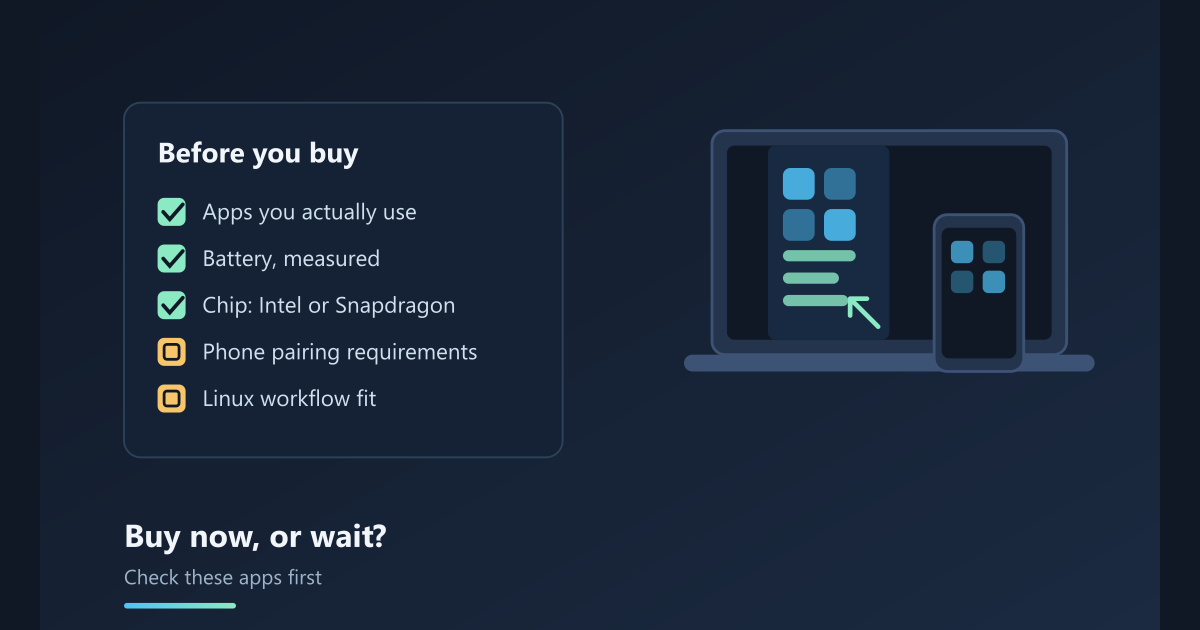
The pre-purchase app checklist
Run this before you buy.
- ▸List your ten most-used applications, phone and desktop separately. This list decides almost everything below
- ▸For each phone app, check its form factor on Google Play in a browser: if the maker publishes a tablet or large-screen layout, the app will behave far better on a Googlebook than one that only renders a phone layout. This is the tablet-style problem the Verge reviewers documented
- ▸For each desktop app, check whether a web version exists. If your tools run in the browser, the OS transition is small. If a Windows-only application is central to your work, no Googlebook configuration fixes that
- ▸If you are considering an Intel model, search the app's name plus "Googlebook" before buying. Google's launch statement acknowledges some Android apps misbehave on Intel chips without identifying them, so pair Google's latest compatibility and support notes with the app maker's own information; community reports can supplement that research, but they are not compatibility tests
- ▸Check your phone: Cast My Apps and Quick Access need Android 17 or later (Gizmochina, September 23). On an iPhone, those features were unavailable at that source's September 23 writing
- ▸Decide your battery math: compare Tom's Guide's measured figures above against your workday, and remember the 60Hz retests recovered nearly two hours on the two units retested
- ▸If your workflow needs Linux, assume an isolated virtual machine (The Verge, October 9) and decide whether that block survives contact with how you work
Versus the alternatives
Against a Chromebook: supported Chromebooks already run Android apps through Google Play (Google's own Chromebook help documentation documents this), so Android apps alone are not what you are paying for. What the money buys is the OS itself: Googlebook runs on an Android-based platform where phone apps are first-class citizens rather than a layer inside a browser-first system, deeper phone continuity, Gemini woven into the operating system rather than sitting in a sidebar, and premium hardware; on price the lines do not overlap, with Googlebook from $899 against Chromebooks from about $179 and Chromebook Plus near $400 (Gizmochina, September 23). Against a MacBook Air: Tom's Guide's tables give the MacBook the measured lead on both counts it ran: 17,276 to the best Googlebook's 14,724 in Geekbench 6 multicore, and 15 hours 37 minutes of battery to the best Googlebook retest's 13 hours 45. What the Googlebook offers that the MacBook does not is phone integration for Android users and a touchscreen as standard, with OLED on four of the five launch models.
The subscription bundle has real value if you would pay for its parts anyway: 12 months of Google AI Pro, a year of GeForce NOW, three months each of YouTube Premium and Photoshop (Google's pre-order post). Price only the parts you would use before counting it as a discount.
Performance, chip by chip
Tom's Guide benchmarked the first five, published October 7. In Geekbench 6 multicore, the three Intel machines, which all run the same Core Ultra 5 325 processor, scored 9,819 to 9,960, identical to each other within the spread. The two Snapdragon X Elite units measured well ahead: 14,679 for the HP and 14,724 for the Dell XPS, roughly 47 to 49 percent higher. In graphics, the same outlet measured the Snapdragon units about 50 percent ahead in the 3DMark Wild Life Extreme GPU test, though even the best performer did not reach 60 frames per second. In CrossMark, the outlet's results split by category: the Intel machines led on productivity and responsiveness, the Snapdragon machines on creativity.
The buyer's version of that data: the chip decides performance, but the app catalog decides whether the machine works at all, and the compatibility question Google has acknowledged sits on the Intel side. Check the apps first; pick the chip second.
FAQ
Is a Googlebook worth it? It depends on your apps, not on the hardware, which independent testers already like. If your work runs in browser and Android apps and you carry an Android 17 or later phone, the platform's launch window is usable. If your work needs desktop-class applications, wait for the software to mature.
Googlebook vs Chromebook: what do I get for the extra money? Supported Chromebooks already run Android apps through Google Play, so the premium does not buy Android apps as such. It buys an Android-based operating system where phone apps are built for the keyboard and mouse rather than running as a layer inside a browser-first system, deeper phone continuity, Gemini integration that reaches into the OS itself, premium hardware with OLED on four of the five launch models, and the same up-to-10-year update promise. Price-wise the two lines barely overlap: Googlebook starts at $899 while Chromebooks run from about $179 and Chromebook Plus models sit near $400 (Gizmochina, September 23). For browsing-first use, the cheaper machine still does the job.
Do all Android apps work on Googlebook? Not identically. Apps render in tablet style unless the maker has published a large-screen layout, and Google has said a small number of Android apps misbehave on the Intel models without naming them. Run the checklist above before buying.
Googlebook vs MacBook: which lasts longer on battery? On Tom's Guide's independent test, the MacBook Air M5 measured 15 hours 37 minutes and the best Googlebook retest measured 13 hours 45 minutes (the HP, at 60Hz). On a Googlebook, dropping the display to 60Hz recovered nearly two hours on the two units retested.
Can a Googlebook replace my laptop? It can replace a laptop whose work is browser, Android apps, media and email. It cannot yet replace one whose work is Windows or Mac desktop applications, or development work that needs tight Linux integration.
What about the Intel models? Google's launch statement acknowledges that a "small handful" of Android apps may have issues on them without identifying which, so check Google's latest compatibility and support notes and the app maker's own information for the apps you rely on. On measured performance, Tom's Guide put the Intel trio at 9,819 to 9,960 in Geekbench 6 multicore, with the Snapdragon X Elite units at 14,679 and 14,724.
Sources
The primary sources behind the claims above, read between September 21 and October 10, 2026. The two Reddit threads are individual owners' posts, linked so you can read them yourself; they are anecdotes, not compatibility tests, and not a measure of buyer satisfaction.
The verdict
Googlebook's first week is a good laptop with a young operating system: hardware the testers praise, an update promise measured in years, and software friction that is documented, specific and, in part, admitted by Google itself. If your apps already live on your Android phone and in a browser, run the checklist and buy with your eyes open. If they live on Windows or deep in Linux, wait for the first patch cycle and revisit. Either way, the checklist is the only part of this decision nobody else can run for you.